
How to use WACRM's free WhatsApp tools
WACRM publishes five free WhatsApp Business tools at wacrm.ai/tools: no account, no email and no sign-up. This tutorial walks through all five in order — pricing a broadcast, generating a link and QR code, building a chat widget, grading your profile, and estimating ROI — with the exact fields to fill in and screenshots of each result.
By Huy Nguyen (David), Founder & CEO of Netbase JSC Updated
All five tools below live on the free tools hub at wacrm.ai/tools. Every one of them runs instantly in your browser, shows a complete result with no sign-up, and links back to the WACRM guide or feature that goes with it. This tutorial walks through each one in turn, with the exact fields to fill in and a screenshot of the real result.
What you need before you start
- A WhatsApp number in international format — your own, or a placeholder like
+1 555 123 4567if you just want to try a tool out. - Nothing to install or connect: every tool runs instantly in your browser.
- About two minutes per tool — each one shows a complete result right away, with no sign-up.
Step by step: all five tools
-
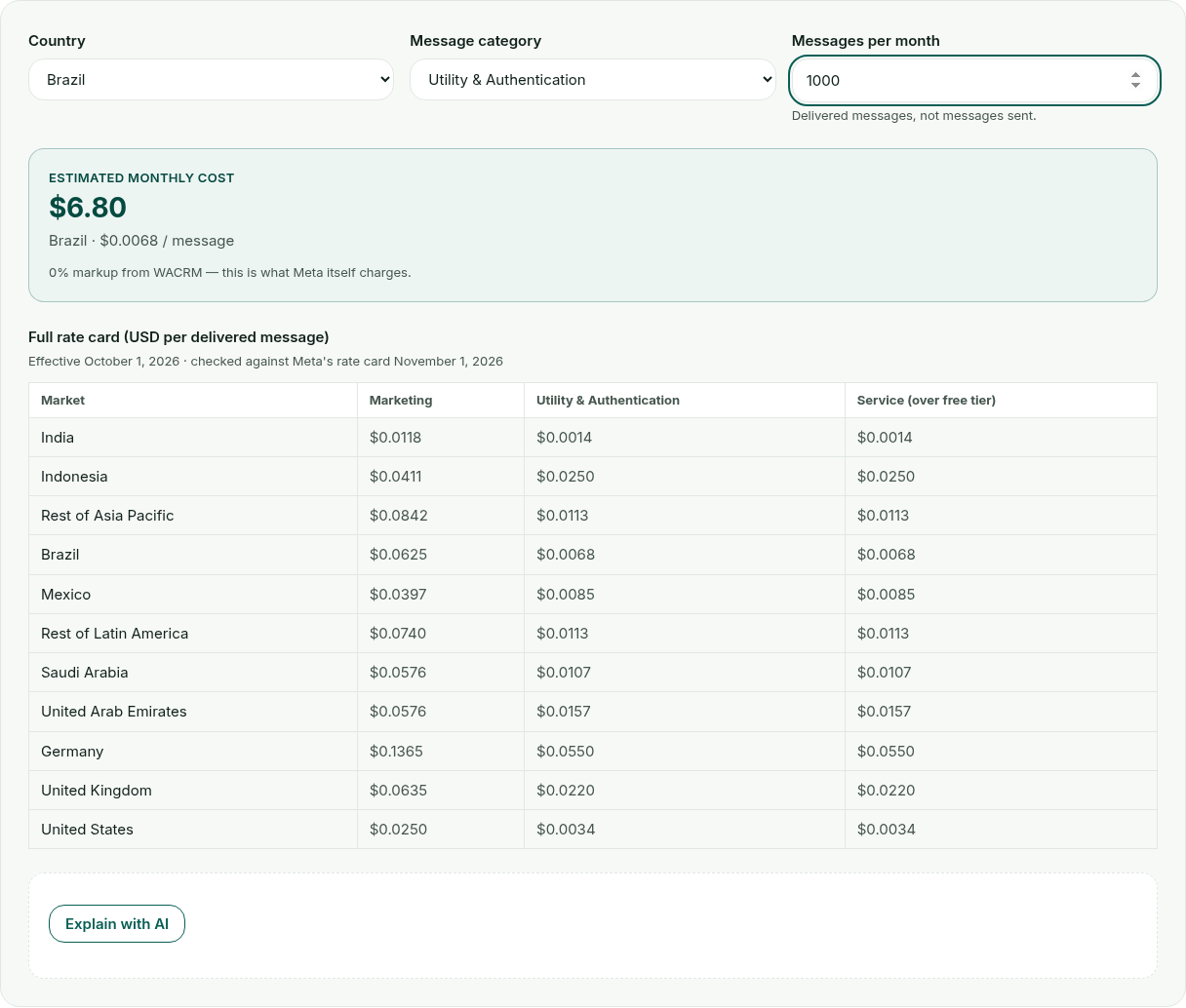
Estimate a broadcast’s cost with the message pricing calculator. Pick the recipient’s country from the Country dropdown — for example Brazil — then choose a Message category (Marketing, Utility & Authentication, or Service) and type how many messages you expect to send into Messages per month. The estimated monthly cost updates instantly: it is just your volume multiplied by Meta’s own per-message rate for that market, with 0% markup from WACRM. 1,000 Utility & Authentication messages to Brazil comes to $6.80, matching the message pricing guide.
-
Make a chat link and QR code with the link + QR code generator. Type a WhatsApp number in international format — such as the placeholder
+1 555 123 4567— into WhatsApp number, and optionally write a greeting that opens pre-typed in the chat. The wa.me link and a downloadable QR code both update as you type; copy the link for a bio or email signature, or download the QR code as a PNG for packaging and print. Switch to Bulk from CSV to generate a whole list of links at once (see the CSV format below).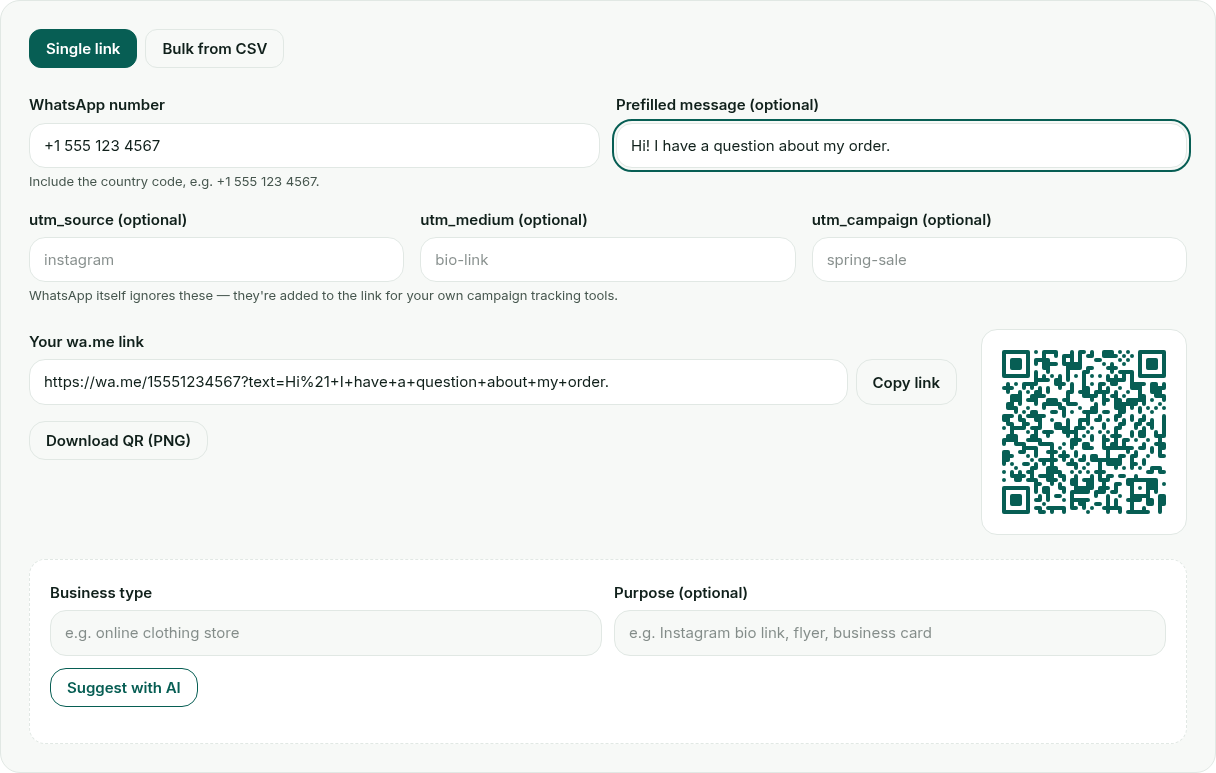
-
Build a site button with the chat widget generator. Enter your WhatsApp number, then customize the greeting message, button label, corner position and accent color — the Live preview updates as you edit each field. Once the number is valid, click Copy snippet and paste the result just before
</body>in your site’s template, theme footer or custom code block; nothing it does is routed through WACRM.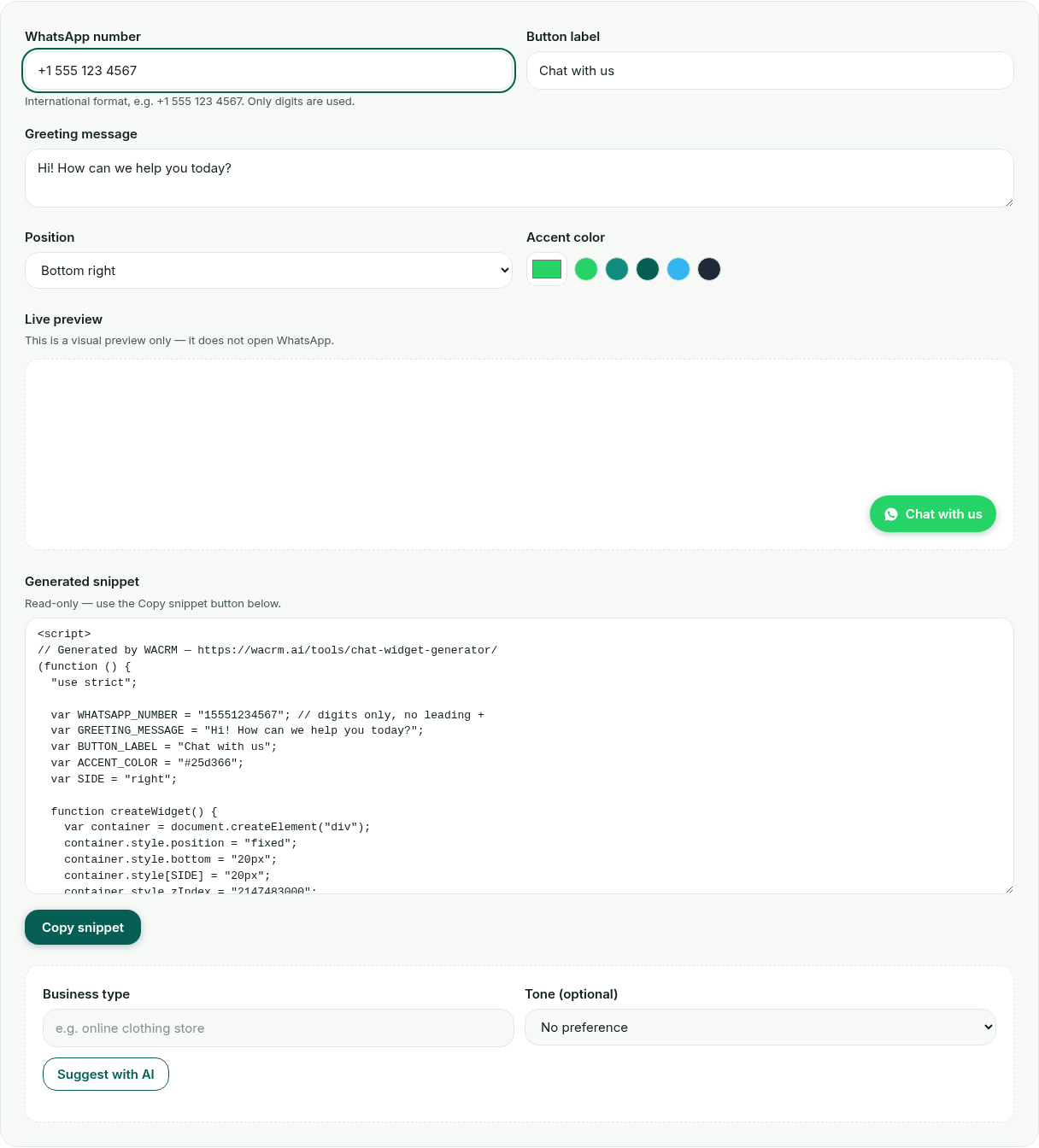
-
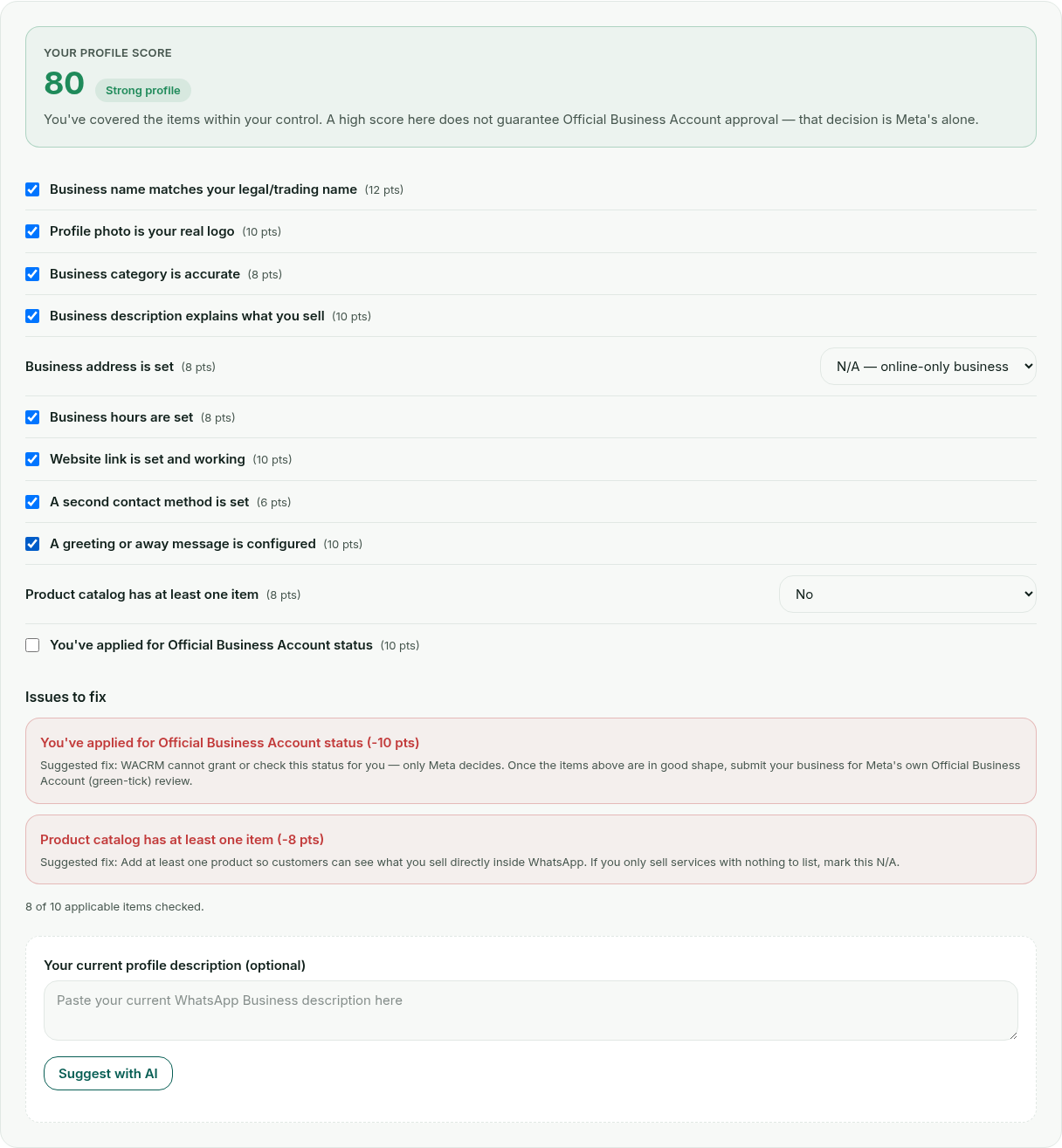
Score your profile with the profile grader. Go through the 11-item checklist honestly, for your profile as it is today. Two items — business address and product catalog — have an N/A option for a fully online or services-only business; every other item is a plain yes/no. Your score updates live from 0 to 100, and each unanswered “No” becomes a red issue card below the checklist with the points it costs and a short fix.
-
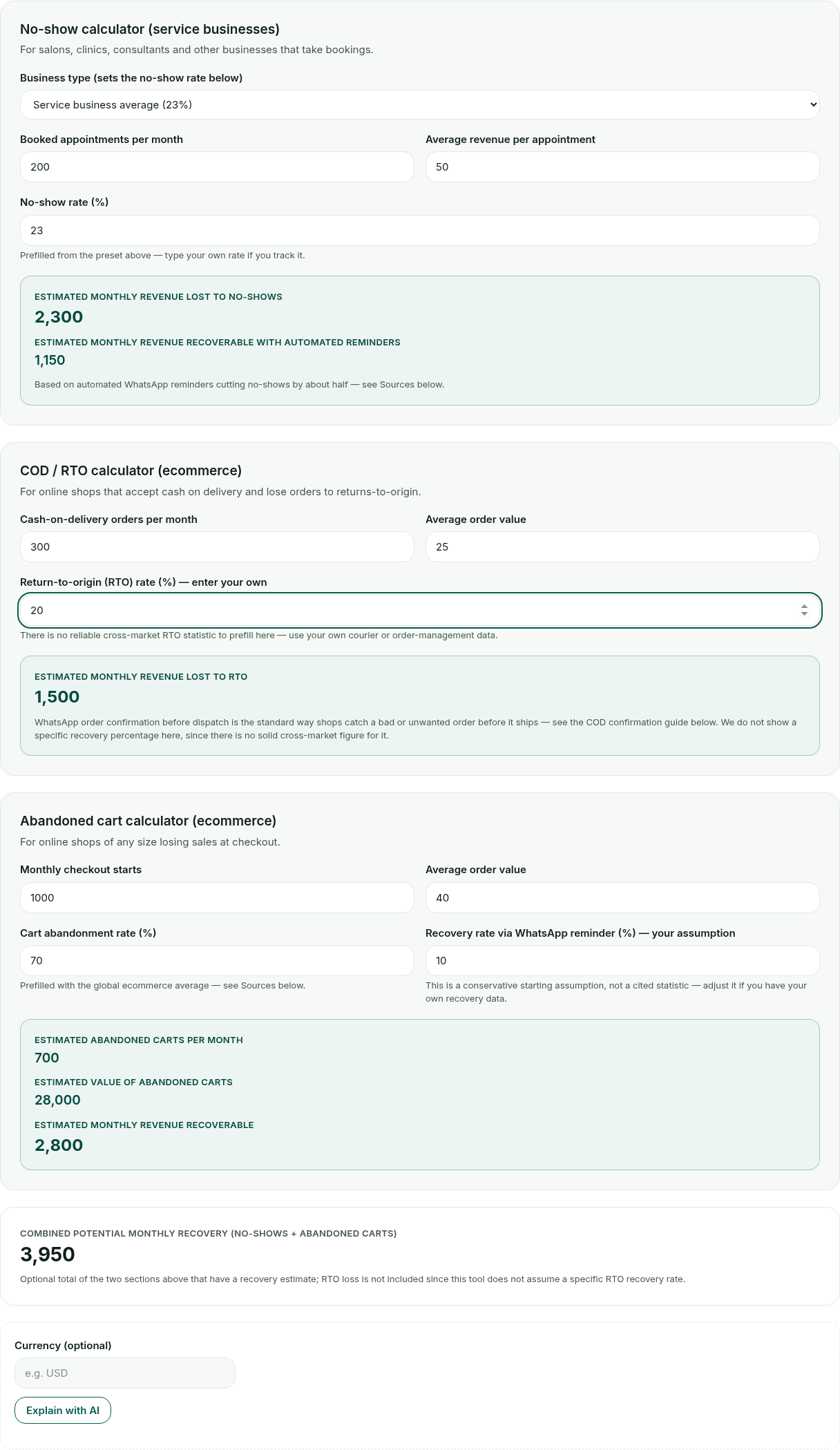
Work out your ROI with the ROI calculator. Fill in only the section that matches your business: No-show calculator for a service business that takes bookings, COD / RTO calculator for cash-on-delivery ecommerce, or Abandoned cart calculator for any online store. Start from the presets shown, then adjust any rate that isn’t a fact for your own market — the estimated monthly loss and what automated WhatsApp reminders could realistically recover both update as you type.
Note
Tip: The optional AI button on each tool (labelled “Suggest with AI” or “Explain with AI”) sends only the numbers or answers already on your screen to a public WACRM endpoint, and returns a short plain-language suggestion. If that service is briefly unavailable, the button shows a plain “unavailable” line instead — the tool’s own calculated result above it is unaffected either way.
Bulk links from a CSV
The link + QR code generator’s Bulk from CSV mode accepts one row per link: phone, then an optional message, then an optional campaign name. A header row containing the word “phone” is detected and skipped automatically.
phone,message,campaign
+15551234567,Hi there!,spring-sale
+15559876543,,spring-sale
Nothing in bulk mode is uploaded anywhere — like the rest of the tool, it runs entirely in your browser, and you download the finished list as a CSV of generated links.
Which tool solves which problem?
| Goal | Tool | Optional AI step |
|---|---|---|
| Know what a broadcast will cost before sending it | Message pricing calculator | Plain-language cost explanation |
| Put a WhatsApp link on a bio, email or package | Link + QR code generator | Draft a prefilled greeting message |
| Add a chat button to your website | Chat widget generator | Draft a greeting for your button |
| Prepare for Official Business Account review | Profile grader | Prioritized fix suggestions |
| Size the cost of no-shows, RTO or abandoned carts | ROI calculator | Plain-language result explanation |
Browse the full set any time on the free tools hub. The message pricing, COD confirmation and abandoned cart guides go deeper into the WhatsApp rules and workflows behind three of the five tools above.

Talk to an expert
Huy Nguyen (David), Founder & CEO
Ask David a question about how to use wacrm's free whatsapp tools.
Frequently asked questions
Do I need an account to use these tools?
No. All five tools on wacrm.ai/tools show their full result with no sign-up and no email. Each tool has an optional "Email me this report" form at the bottom if you want a copy sent to you, but using it is never required to see your result.
What is the "AI" button on some of these tools?
All five tools (message pricing calculator, link + QR code generator, chat widget generator, profile grader and ROI calculator) have an optional AI step — a button such as "Suggest with AI" or "Explain with AI" that sends only the numbers or answers already on your screen to a public WACRM endpoint and returns a short plain-language suggestion. It is optional: the tool's own calculated result is already complete without it.
Do the tools store or send my data anywhere?
The link + QR code generator, chat widget generator, profile grader, ROI calculator and message pricing calculator all compute their main result entirely in your browser, with no data uploaded. Clicking a tool's optional AI button sends only the already-computed numbers or answers on screen to WACRM's public tools API for that one request — nothing you type is stored beyond it.
What if the AI step shows "unavailable"?
That means the AI service didn't return a usable answer for that request — the same way any live service can be briefly unreachable. It doesn't affect the tool itself: the calculator or generator result above it stays exactly as you configured it, and you can try the AI button again any time.
Which tool should I start with?
Whichever matches what you're doing right now: pricing a broadcast, adding a WhatsApp link to your bio or packaging, putting a chat button on your site, preparing for Official Business Account review, or working out what no-shows or abandoned carts are costing you. The table below in this guide maps each goal to its tool.

Want this set up for you?
Quick Setup connects your number with coexistence in 48 hours, done by a person.