
Fill your calendar from WhatsApp, with reminders that run themselves
WACRM Bookings is the appointment calendar behind your WhatsApp number that helps clinics, salons and other service businesses fill their day and cut no-shows: customers pick a free time on your booking page, get a WhatsApp reminder 24 hours and 2 hours before, and reply to confirm or cancel, while your team follows every appointment on one board.
By the WACRM team Updated
A public booking page per project: service, date, free time, contact details
Free times come from each staff member's weekly hours; one slot is never booked twice
Reminders 24 hours and 2 hours before over WhatsApp, with SMS as fallback; customers reply to confirm or cancel
An AI receptionist proposes bookings for your team to approve, or books on its own if the owner opts in
How do bookings work in WACRM?
We set up your services and hours
Your services with their duration and your staff's weekly hours are added to your project, and you get your own booking page link.
The customer books
They open the link from a WhatsApp chat or your profile, choose a service, a date and a free time, and leave their name and phone number.
Reminders go out
24 hours and 2 hours before the appointment, WACRM sends a reminder on WhatsApp, or by SMS when WhatsApp cannot be used.
The reply updates the board
A confirm is recorded, a cancel frees the slot, and a reschedule request is flagged for your team on the Bookings board.
What do you get with WACRM Bookings?
Your own booking page
A mobile-first page hosted by WACRM: service, date, free times and contact details, then a confirmation.
No double bookings
Free times are worked out from each staff member's hours and existing bookings, and two people can never take the same slot at once.
Reminders 24 hours and 2 hours before
Sent inside the 24-hour WhatsApp window as a normal message, or as an approved template outside it; failed sends are retried.
SMS fallback
If the project has no connected WhatsApp number or the WhatsApp send fails, the reminder goes out by SMS through your SMS gateway.
Bookings board
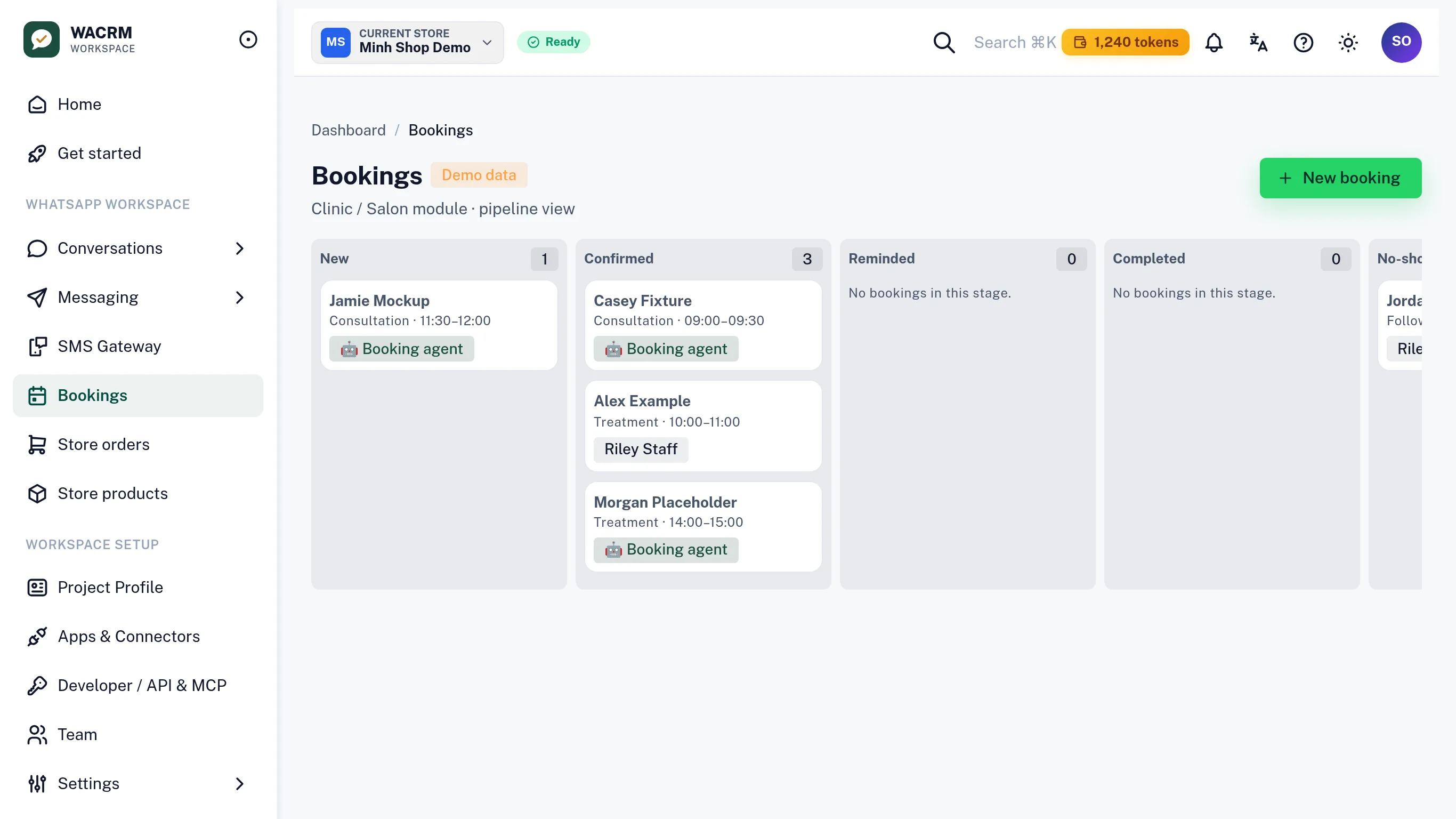
Appointments move through New, Confirmed, Reminded, Completed and No-show, and staff can add a booking by hand from a real free slot.
AI receptionist
Answers service and opening-hours questions from your own setup and proposes book, reschedule or cancel actions for approval.
Who takes bookings with WACRM?

Clinics
A patient books a check-up at 10 pm from the link in your WhatsApp profile, and is reminded the day before and two hours before.

Salons and studios
Each stylist has their own hours, so the booking page only offers times when that person is actually free.

Home services
A technician's visit is confirmed by a one-word reply instead of a round of calls.

Advisers and consultants
Clients pick a meeting slot themselves, and a cancel reply frees the time for someone else.
Why take bookings over WhatsApp?
Your customers already message you on WhatsApp to ask for a time. Answering each request by hand means checking a calendar, typing back options and chasing a confirmation, often after hours. A booking link in the same chat turns that back-and-forth into a few taps for the customer, and the appointment lands on your team's board straight away.
Reminders are where most of the value is. WACRM sends them on its own, 24 hours and 2 hours before each appointment, and only to customers who agreed to receive messages, the way WhatsApp's business policy expects. A customer who can no longer come replies cancel, and the slot is free again for someone else.
How does the AI receptionist handle bookings?
The AI receptionist answers questions about your services and opening hours using only the services and hours set up in your project, so it does not invent a time or a price. When a customer wants to book, move or cancel, it proposes that action, and a teammate approves it in one tap. The owner can let bookings run on their own with a separate auto-book switch, and one pause switch stops every AI action at once.
For clinic projects, the receptionist's answers stay non-clinical: a reply that reads like a diagnosis or names a medication or dose is replaced by a safe message that refers the patient to a professional.
Questions about bookings in WACRM?
Can customers book an appointment through WhatsApp?
Yes. Share your WACRM booking page link in a WhatsApp chat or on your WhatsApp profile; the customer picks a service and a free time in a few taps, and the reminders and confirm or cancel replies then run over WhatsApp.
When are booking reminders sent?
Twice: 24 hours and 2 hours before the appointment. A reminder is only sent to a contact with WhatsApp consent on file; without consent, nothing is sent on any channel.
What happens when a customer replies to a reminder?
Replying C or confirm records the confirmation, replying cancel cancels the booking and frees the slot, and replying reschedule flags the booking so your team can agree a new time.
Can the same time slot be booked twice?
No. Free times are worked out from each staff member's weekly hours minus their existing bookings, and two simultaneous requests for the same slot cannot both succeed.
Who sets up my services and staff hours?
Our team does, as part of onboarding: tell us your services, how long each takes, and the days, hours and timezone of each staff member. Developers can also manage services and bookings through the WACRM API with a bookings key.
Can the AI book appointments without my team?
Only if the owner turns on auto-book. By default the AI receptionist proposes each booking, reschedule or cancellation and waits for a teammate to approve it.



Talk to an expert
A person from the WACRM team replies.
Ask how to bring your services and staff hours into WACRM, and where to put your booking link.
Replies within one working day, usually sooner on WhatsApp.
Let your calendar fill from WhatsApp
Get started and our team will set up your services, staff hours and booking page with you.